
Web + Native Monorepo
在 Web + Native 双端 monorepo 项目中安装和使用 HeroUI Pro 组件库
本文由人工撰写(md),AI 优化(mdx)。
在 Web + Native 全栈 monorepo 中,hpsetup 可以在根目录运行,它会自动检测所有 workspace 中的 Pro 包并进行安装。
创建项目
使用 create better-t-stack 初始化一个包含 Turborepo 的 monorepo 项目:
pnpm create better-t-stack@latest my-better-t-app \
  --frontend tanstack-router native-uniwind \
  --backend none \
  --runtime none \
  --api none \
  --auth none \
  --payments none \
  --database none \
  --orm none \
  --db-setup none \
  --package-manager pnpm \
  --git \
  --web-deploy none \
  --server-deploy none \
  --install \
  --addons turborepo \
  --examples none
运行 hpsetup
进入项目目录后运行 hpsetup:
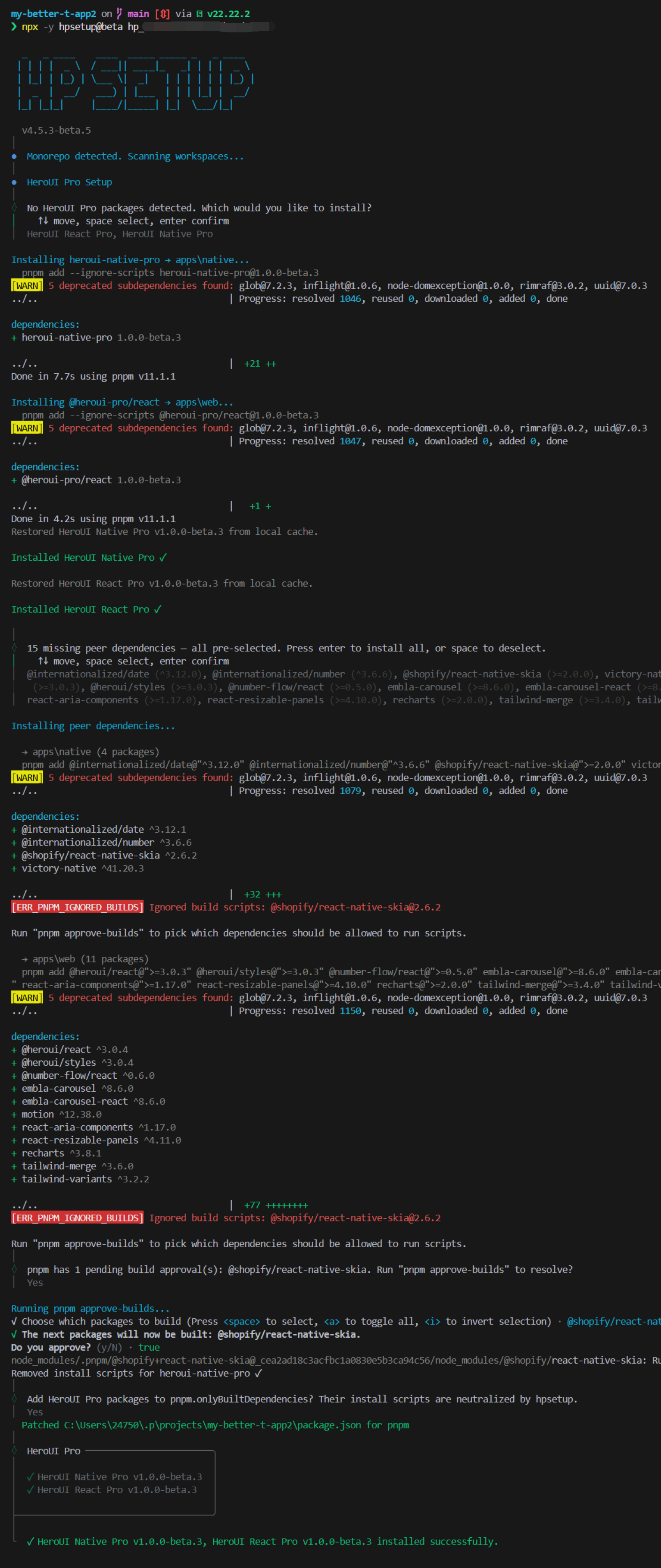
配置样式
安装好 Pro 依赖后,需要在各项目的全局 CSS 中引入样式。
Web 项目
@import "tailwindcss";
@import "@heroui/styles";
@import "@heroui-pro/react/css";
Native 项目
@import 'tailwindcss';
@import 'uniwind';
@import 'heroui-native/styles';
@import 'heroui-native-pro/styles';

@source './node_modules/heroui-native/lib';
@source './node_modules/heroui-native-pro/lib';
添加示例组件
在各自项目的 components/ 目录中创建 Pro 组件。
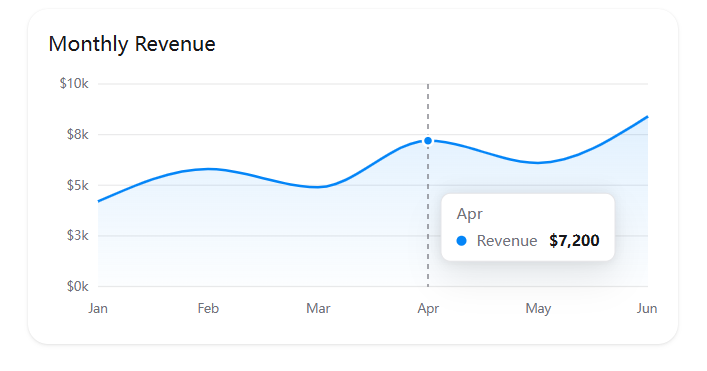
Web:AreaChart
"use client";

import {Card} from "@heroui/react";

import { ChartTooltip } from "@heroui-pro/react/chart-tooltip";
import {AreaChart} from "@heroui-pro/react/area-chart";

const revenueData = [
  {month: "Jan", revenue: 4200},
  {month: "Feb", revenue: 5800},
  {month: "Mar", revenue: 4900},
  {month: "Apr", revenue: 7200},
  {month: "May", revenue: 6100},
  {month: "Jun", revenue: 8400},
  {month: "Jul", revenue: 7800},
  {month: "Aug", revenue: 9200},
  {month: "Sep", revenue: 8600},
  {month: "Oct", revenue: 10200},
  {month: "Nov", revenue: 9800},
  {month: "Dec", revenue: 11500},
];

export default function AreaChartDemo() {
  return (
    <Card className="w-full max-w-[520px] rounded-2xl">
      <Card.Header>
        <Card.Title className="text-base">Monthly Revenue</Card.Title>
      </Card.Header>
      <Card.Content>
        <AreaChart data={revenueData} height={200}>
          <defs>
            <linearGradient id="revenue-fill" x1="0" x2="0" y1="0" y2="1">
              <stop offset="0%" stopColor="var(--chart-3)" stopOpacity={0.2} />
              <stop offset="100%" stopColor="var(--chart-3)" stopOpacity={0.02} />
            </linearGradient>
          </defs>
          <AreaChart.Grid vertical={false} />
          <AreaChart.XAxis dataKey="month" tickMargin={8} />
          <AreaChart.YAxis tickFormatter={(v: number) => `$${(v / 1000).toFixed(0)}k`} width={40} />
          <AreaChart.Area
            dataKey="revenue"
            dot={false}
            fill="url(#revenue-fill)"
            name="Revenue"
            stroke="var(--chart-3)"
            strokeWidth={2}
            type="monotone"
          />
          <AreaChart.Tooltip
            content={({active, label, payload}) => {
              if (!active || !payload?.length) return null;

              return (
                <ChartTooltip>
                  <ChartTooltip.Header>{label}</ChartTooltip.Header>
                  {payload.map((entry) => (
                    <ChartTooltip.Item key={String(entry.dataKey)}>
                      <ChartTooltip.Indicator color={entry.color ?? entry.stroke} />
                      <ChartTooltip.Label>{entry.name}</ChartTooltip.Label>
                      <ChartTooltip.Value>
                        ${Number(entry.value).toLocaleString()}
                      </ChartTooltip.Value>
                    </ChartTooltip.Item>
                  ))}
                </ChartTooltip>
              );
            }}
          />
        </AreaChart>
      </Card.Content>
    </Card>
  );
}
注意上边的 import 路径用的是子路径(@heroui-pro/react/area-chart),而不是主入口(@heroui-pro/react)。如果从主入口导入,可能会触发依赖解析错误或打包异常。详见 使用子路径导入。
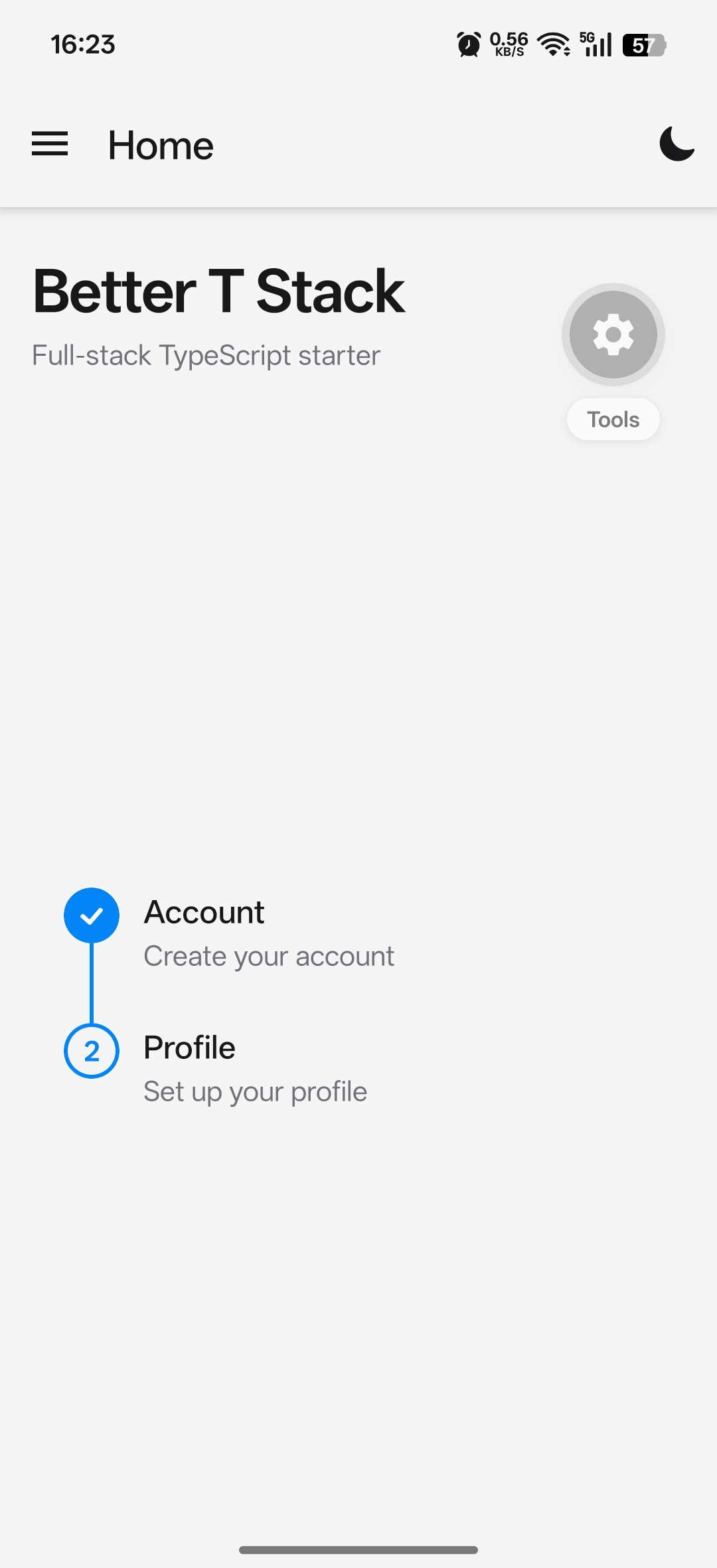
Native:Stepper
import { Stepper } from 'heroui-native-pro';
import { View } from 'react-native';

export default function StepperDemo() {
  return (
    <View className="flex-1 justify-center bg-background p-4">
      <Stepper>
        <Stepper.Step>
          <Stepper.Rail />
          <Stepper.Content>
            <Stepper.Title>Account</Stepper.Title>
            <Stepper.Description>Create your account</Stepper.Description>
          </Stepper.Content>
        </Stepper.Step>
        <Stepper.Step>
          <Stepper.Rail />
          <Stepper.Content>
            <Stepper.Title>Profile</Stepper.Title>
            <Stepper.Description>Set up your profile</Stepper.Description>
          </Stepper.Content>
        </Stepper.Step>
      </Stepper>
    </View>
  );
}
在页面中引入
Web
import { createFileRoute } from "@tanstack/react-router";

import AreaChartDemo from "@/components/area-chart-demo";

export const Route = createFileRoute("/")({
  component: HomeComponent,
});

function HomeComponent() {
  return (
    <div className="container mx-auto max-w-3xl px-4 py-2">
      <div className="grid gap-6">
        <AreaChartDemo />
      </div>
    </div>
  );
}
Native
import { Text, View } from "react-native";

import { Container } from "@/components/container";
import StepperDemo from "@/components/stepper-demo";

export default function Home() {
  return (
    <Container className="px-4 pb-4">
      <View className="py-6 mb-5">
        <Text className="text-3xl font-semibold text-foreground tracking-tight">
          Better T Stack
        </Text>
        <Text className="text-muted text-sm mt-1">Full-stack TypeScript starter</Text>
      </View>
      <StepperDemo />
    </Container>
  );
}
预览
运行 pnpm run dev 启动项目。
常见问题
Web:多 React 实例报错
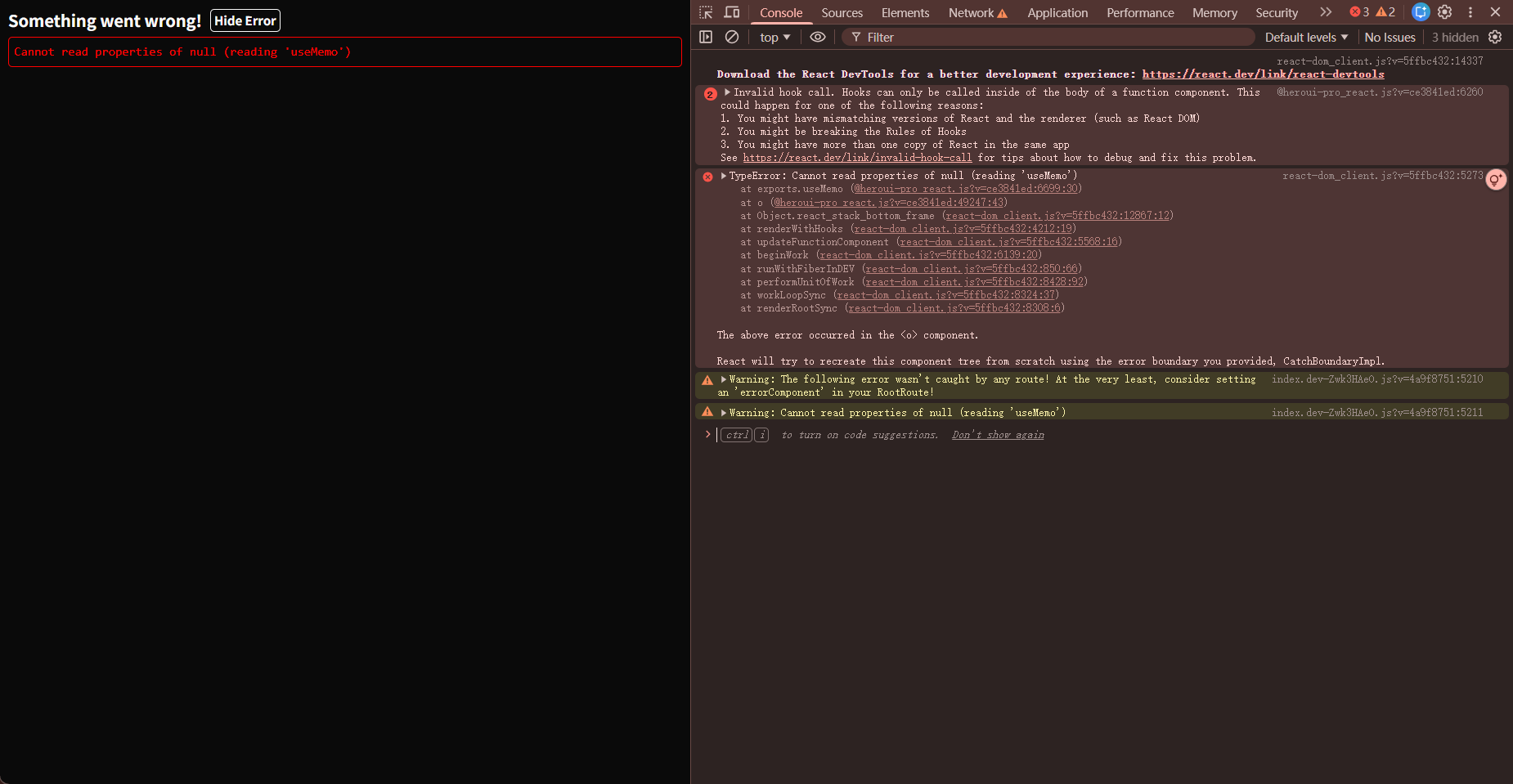
这是 Vite 预构建导致的多 React 实例问题。@heroui-pro/react 内部调用 React.useMemo 时 React 为 null。
修复:在 Vite 配置中添加 dedupe:
export default defineConfig({
  resolve: {
    tsconfigPaths: true,
    dedupe: ["react", "react-dom", "react/jsx-runtime"],
  },
  // ...
});
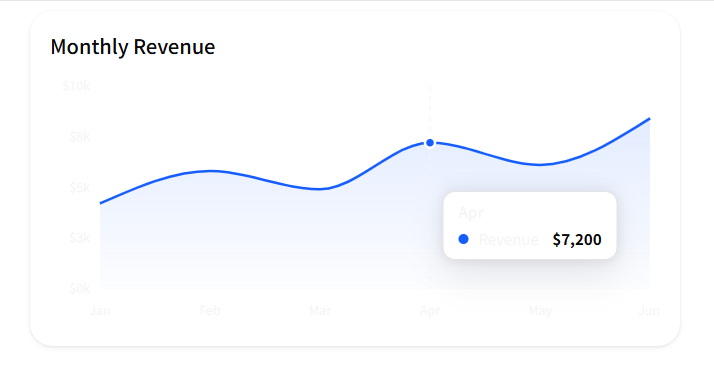
修复后正常渲染:
Web:组件样式异常
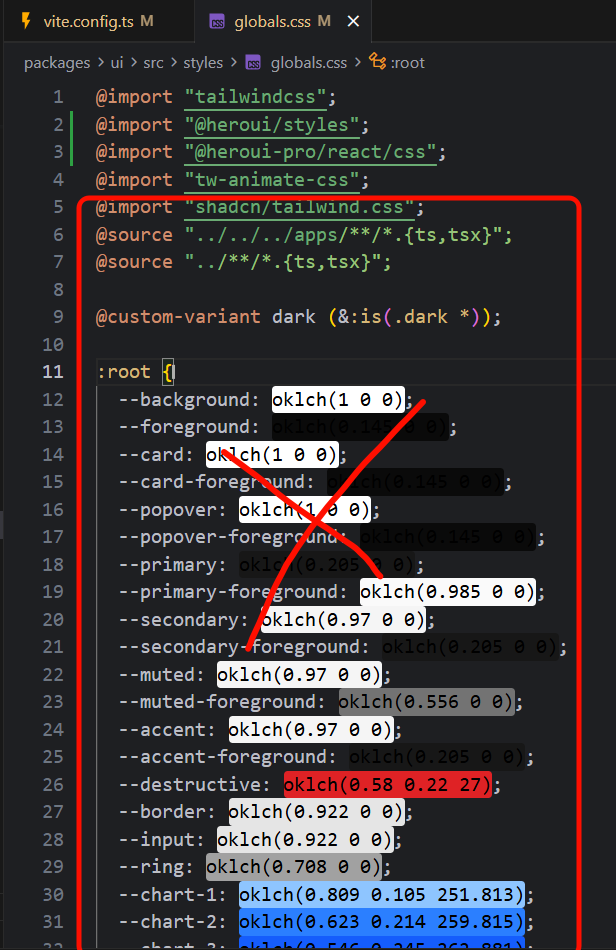
这与 shadcn 的主题变量冲突有关。移除 global.css 中 shadcn 的主题配置后恢复正常:
也可以让 AI 移除 shadcn 中与 HeroUI 冲突的样式来实现混用,但这可能会影响 shadcn 组件的渲染。建议尽量不混用。
Native:Skia 兼容性
如果遇到 @shopify/react-native-skia 相关的兼容性警告,需要安装与当前 Expo SDK 兼容的版本:
npx -y expo install @shopify/react-native-skia修复后正常预览:
How is this guide?
Last updated on